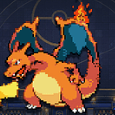
Empress Pokemon 2D Arena – Play & Download
Download Omniscye's released Windows or Android game, or learn how its online client battles work. The similar browser arena on our homepage is a separate experience.
What Is Empress Pokemon 2D Arena?
Empress is Omniscye's downloadable real-time Pokémon fan game for Windows and Android. The official project page listed version 2.0 when checked on October 22, 2026. Recheck the creator's page before installing or joining a friend, since a later update can change the compatible release.
The Omniscye Game vs Big Kid Nation's Project
Big Kid Nation's Pokémon Arena 2D is a different project with a December 2026 public beta plan. Empress has a separate creator and release history. The playable browser arena linked from this site is another independent experience; its menus, roster and saves do not establish what exists in the Empress client.
Identify the creator and distribution page before following a tutorial. This page's main action opens Empress downloads; its separately labeled browser alternative has different controls, progress and software.
Sources: Omniscye official game page
Where to Play and Download Empress Pokemon 2D Arena
Choose the Windows package or Android APK for your device. Online play here means battles launched from a compatible installed client; an APK does not run inside a browser tab.
Windows Download
Open Download Empress above and select the creator's Windows ZIP. Extract the complete package and keep the included files together before launching the executable. If an update or troubleshooting guide mentions a particular release, compare that release with the file you downloaded instead of mixing files from different packages. Back up important progress before changing an installation.
Android APK Download
The current creator page specifies a compatible 64-bit ARM phone or tablet running Android 8.0 or later. Download the Android APK from that page and check the device architecture as well as its Android version. Meeting an operating-system minimum does not guarantee that every phone has enough resources for the game. An APK is not an iOS installer.
Is There an Official Empress Browser Version?
The checked official distribution lists Windows and Android clients; this review did not verify an official playable Empress browser release. Play Free Online Here opens this site's separate local game. Use it if you want a browser alternative, while keeping its controls and progress separate from the installed client. For platform selection help, use the Download Options and APK guides.
Compare Windows, Android and browser options →Read the Android APK requirements →Empress Multiplayer and Online Battles
The developer documents public lobbies, private connection codes and Windows/Android crossplay. These are client features, separate from this site's CPU browser matches. Networking improvements do not guarantee that every host and connection will work.
Public Lobbies and Private Connection Codes
Start from ONLINE BATTLES in the installed game to host or browse a public lobby. For a private session, the developer describes hosting a match and sharing an EMPRESS connection code with a friend. Private code matches are not public-lobby entries, and the older netcode announcement explains that a code stops being valid after its host closes the match. Use a newly created code if the old host session has ended.
Check what each player sees before assuming that a code is broken. Confirm that the host is still in the intended room, that the joining player chose the matching connection method and that neither person copied a code from an earlier session. Keep private codes within the intended group. Do not enter an IP address into a code field or assume that public-lobby and direct-IP instructions are interchangeable.
6v6 Battles, Rematches and Version Compatibility
Regular online lobbies offer 3v3 and 6v6 choices according to the creator. The documented lobby flow supports readying up, battling, changing teams and rematching. Before troubleshooting a failed rematch, compare the release on both devices and check whether the host changed the room or closed it. Rejoin the same active lobby rather than relying on an obsolete invitation.
At the October 22 check, the creator specified version 2.0 on both devices for online play. Recheck the listing when arranging a session: a working older single-player installation is not proof of compatibility with a friend's newer online client.
Windows / Android Crossplay
Crossplay is explicitly listed by the developer, so Windows and Android players can use compatible releases rather than needing identical operating systems. Still verify the exact version first. If both versions match but a session fails, compare hosting and joining methods, try a fresh lobby or code and check whether either connection restricts the selected method. Report the version, device and failure stage when asking the creator for help.
Sources: Current client multiplayer and compatibility · 1.7.1 historical connection-code explanation · Original official online lobby flow
Empress Version Updates: 2.0 and Earlier Controls Changes
The official page checked October 22, 2026 presents 2.0 as the animation, graphics and physics update. That is a dated version check, not a permanent latest-version label. Earlier releases explain the history of aiming and control choices, but their download and online-version instructions should not override the current listing.
Dates below use the UTC timestamps in the creator's development-log listings.
| Version | Date (UTC) | Key change | Source |
|---|---|---|---|
| 1.7.1 | 2026-10-18 | Networking improvements and private connection codes | Developer 1.7.1 log |
| 1.7.8 | 2026-10-21 | Separate aiming and move / Soccer changes | Developer 1.7.8 log |
| 1.7.8.1 | 2026-10-21 | Saved NEW / CLASSIC attack-control choice | Developer hotfix log |
| 2.0 | 2026-10-22 | Animation, graphics and physics update; current listed client | Official project and development-log listing |
Sources: Current project listing · 1.7.1 developer log · 1.7.8 developer log · 1.7.8.1 developer hotfix
NEW and CLASSIC Attack Controls Since Version 1.7.8.1
The 1.7.8.1 hotfix added a choice between two attack-control styles, and the current project page still documents that choice. It is a setting in the Empress client; it does not change this website's browser arena. Select a style before interpreting another player's aiming tutorial, because two people using different styles can describe the same attack differently.
NEW Attack Controls
On Windows, NEW uses the mouse or a controller's right stick for aiming. On Android, hold an attack button, drag to aim and release to execute it. This separates aiming from movement. Try the gesture in a low-pressure session before joining friends, especially if you have been using a movement-facing control scheme.
CLASSIC Attack Controls
CLASSIC attacks follow the direction the character is facing. Use movement to establish that direction, then activate a move; there is no separate aiming action. This is an alternative control style, not an older game version that other players must install. Check the selected style when an attack appears to aim differently from an online demonstration.
How to Change ATTACK CONTROLS
Open Settings, then Controls, then Aiming / Crosshair, and choose ATTACK CONTROLS to switch between NEW and CLASSIC. The developer says that the choice saves automatically and is available on Windows and Android. If an interface changes in a later release, use that release's controls menu and notes instead of assuming that this exact path will remain unchanged forever.
Sources: Official NEW / CLASSIC hotfix instructions · 1.7.8 aiming update
Empress Controls: Windows vs Android
Read the configurable bindings in your installed Empress release. This site's WASD, 1–4, Space and Q/E browser table is not a verified default binding sheet for the Empress client.
On Android, distinguish movement from aiming an attack in NEW mode. Use the client's control-layout settings if an action is hard to reach. Changing an Empress setting cannot fix input focus in this site's separate browser iframe, and its touch gestures are not the browser game's controls.
Use the separate browser mobile guide →Common Empress Download / Multiplayer Problems
For installation problems, record the platform, file version and exact failure stage. On Windows, check that the whole ZIP was extracted rather than launching a file from inside the compressed archive. On Android, compare both the 64-bit ARM requirement and operating-system version with the current creator listing. Avoid combining an old executable with files copied from an unrelated release.
For multiplayer, first compare both client versions, then the lobby or connection method. A private code from a closed host session is a different problem from a missing public lobby. If the versions agree and the room remains active, network conditions can still affect the result. Do not promise a guaranteed fix or change router settings on the assumption that every connection method requires the same setup.
Read the creator's save guidance before deleting an older installation, and keep a backup where supported. Saved teams are different from an unfinished online match. For support, include the exact release, device and failure stage: launch, room entry, readying up or battle.
FAQ
Where can I download Empress Pokemon 2D Arena? Use Omniscye's official itch.io project page for the Windows ZIP or Android APK. The browser arena linked from this site is a separate game.
Can I play the verified Empress client in this browser page? An official Empress browser build was not verified. The creator listing checked here distributes Windows and Android clients; the similar browser option opens an independent arena.
What Empress version was current at the review date? The official page listed Empress 2.0 when checked on October 22, 2026. Recheck the creator page for later releases before downloading or arranging online play.
Does Empress support Windows and Android crossplay? Yes, the creator documents Windows/Android crossplay. Both devices need compatible releases; the current listing at this review specified version 2.0 for online play.
How do I switch NEW and CLASSIC attack controls? Use Settings > Controls > Aiming / Crosshair > ATTACK CONTROLS. The developer documents automatic saving on Windows and Android.
Why does my private connection code stop working? The developer explains that private codes expire when the host closes the match. Confirm that the intended host session is still active and create a new code if needed.
Is Empress the December 2026 Big Kid Nation beta? No. Empress is a released Omniscye client with its own version history. Big Kid Nation has separately announced a December 2026 public beta plan.